

How to watch Secret Shorts, step by step
Secret Shorts are vertical mini-dramas on Secrets AI, and you watch them in the browser. Here is the whole path from a cold start to the last episode.
- Open secrets.ai/shorts. Type the address or use the button on this page. It is a regular web page, so there is nothing to install first.
- Confirm you are 18+. Secrets asks every visitor to confirm adulthood before it shows the series. These are NSFW dramas for adults only.
- Pick a series and press play on episode 1. It is free and needs no account. Most episodes run one to three minutes, so you know quickly whether the premise grabs you.
- Create a free Secrets account for episode 2. On most series the second episode is also free once you are signed in.
- Unlock the rest with Moments. From episode 3 on, each locked episode costs 500 Moments on most series. An episode you unlock stays yours to keep.
Not sure which series to open first? The Heat Map shows how each episode warms up, and the dramas list filters by genre, length and what is new.
Is there a Secrets AI app?
People search for the “Secrets AI app” and the “secrets.ai app”, so here is the straight answer: we did not find an app-store app. Secrets runs as a web app in your browser.
What you can do is put it on your home screen so it opens like an app. On iPhone, open the site in Safari, tap Share, then Add to Home Screen. On Android with Chrome, accept the install offer or use the browser menu's install option.
Because nothing comes from a store, there is no app to update, and “secrets ai download” searches simply lead back to the website. Be wary of any site that offers an installer under the Secrets name.
Watching on iPhone and Android
Shorts are made for vertical screens, so a phone is the natural fit. Use the same steps above in Safari on iPhone or Chrome on Android, then add the home-screen shortcut for one-tap access. A laptop or tablet browser works too.
Secrets AI login: one account for everything
There is no separate login for Shorts. Your Secrets account is the one used across Secrets AI, including chats with the characters from the series. Sign in at secrets.ai on any device and your account carries your unlocked episodes.
On a shared device, sign out when you finish so nobody else opens your account. When sign-in fails, keep in mind that this site is an independent guide with no view of your account. Secrets directs people to its Discord community and a wiki for help.
Moments and what happens after episode 2
Moments are Secrets AI's in-app currency, often called “secrets.ai tokens”. Moments come only with a Premium or Ultimate subscription: 8,000 a month on Premium and 15,000 on Ultimate, reset every month. There is no way to buy them on their own without a plan.
For the numbers behind a whole series, see pricing, and for what costs nothing, see free Moments.
Before you unlock anything
Use the free episodes as a filter. Two episodes are enough to tell whether a premise and its cast suit you, and no Moments are spent finding out.
Then check the heat pattern. Some series build toward a late peak, while Filter is hot from episode 2. Knowing that first helps you decide whether the paid episodes are worth it.
Series are short, so you can often watch one in a single sitting: total runtime usually lands between 4 and 21 minutes.
A first session, start to finish
A quick first session might run like this: open a short series, watch episode 1 in about the time it takes to make coffee, sign up if you want episode 2, and stop there. Nothing forces you to unlock more.
If you do continue, unlocking happens inside Secrets, with the Moments balance on your account. Once an episode is unlocked it stays yours, so you can rewatch it whenever you like.
Prefer to look around first? Browse the dramas list, open a series page here for its premise and Heat Map, and only then head to Secrets.
Where to start
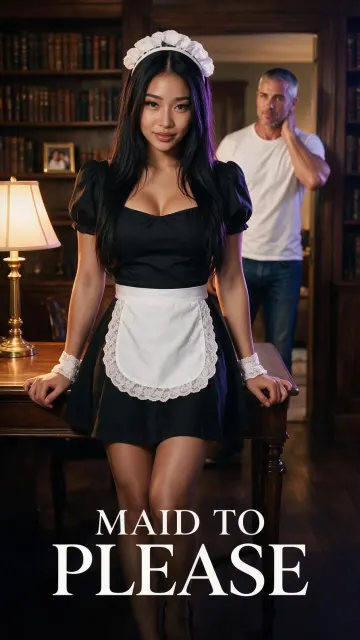
A short series is a gentle way to test the flow. Leg Day and Castaway have three episodes so far, so catching up on either takes 500 Moments after the two free ones. If you prefer a longer story, Maid To Please has seven episodes and its heat peaks in episode 5.
Watch, then chat
Each named cast member has a chat page on Secrets AI, which lets you finish a series and then message the characters from it. They are AI characters, and you can browse them on the characters page.
When something does not load
- Reload the page and try again before assuming something is wrong with your account.
- Switch between Safari and Chrome, or between phone and computer, to see whether the problem follows your device.
- If an episode you unlocked will not play, ask Secrets through its Discord community or wiki, since account and billing questions are theirs to answer.